 FAQ
FAQ
FAQ
FAQ
In Validation, you can use regular expressions to check user input. If you're not familiar with regular expressions, you can use Conditional Formulas as an alternative. For example, if you want to ensure that users enter a number between "1~99" in the "Qty" field:
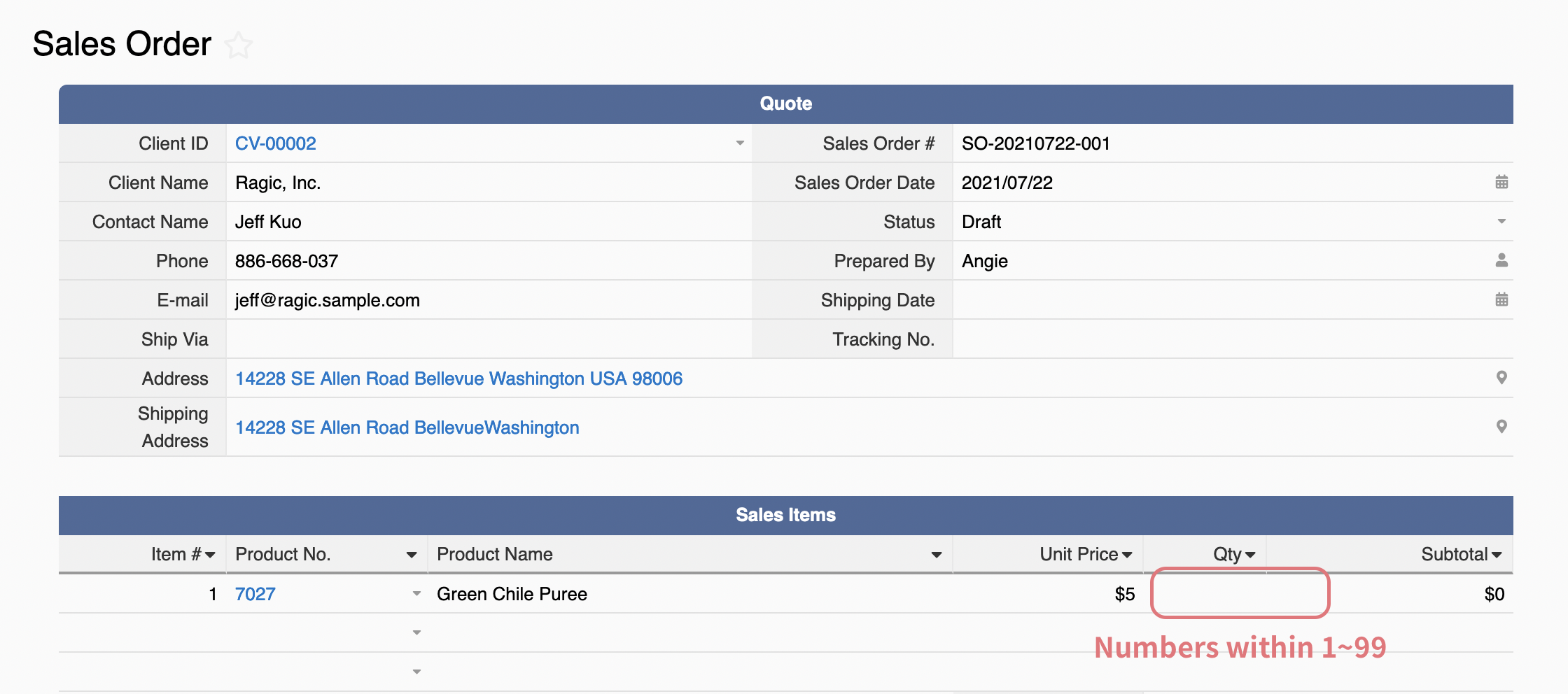
You may follow the steps below:
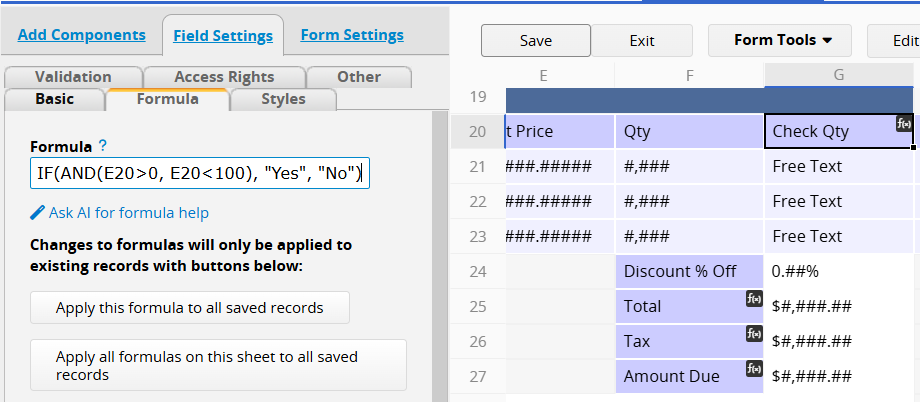
With the above example, you can apply a Conditional Formulas in the free text field to check whether the value falls between "1~99":
IF(AND(E20>0, E20<100), "Yes", "No"). This formula returns "Yes" when the number is between "1~99", and "No" otherwise.
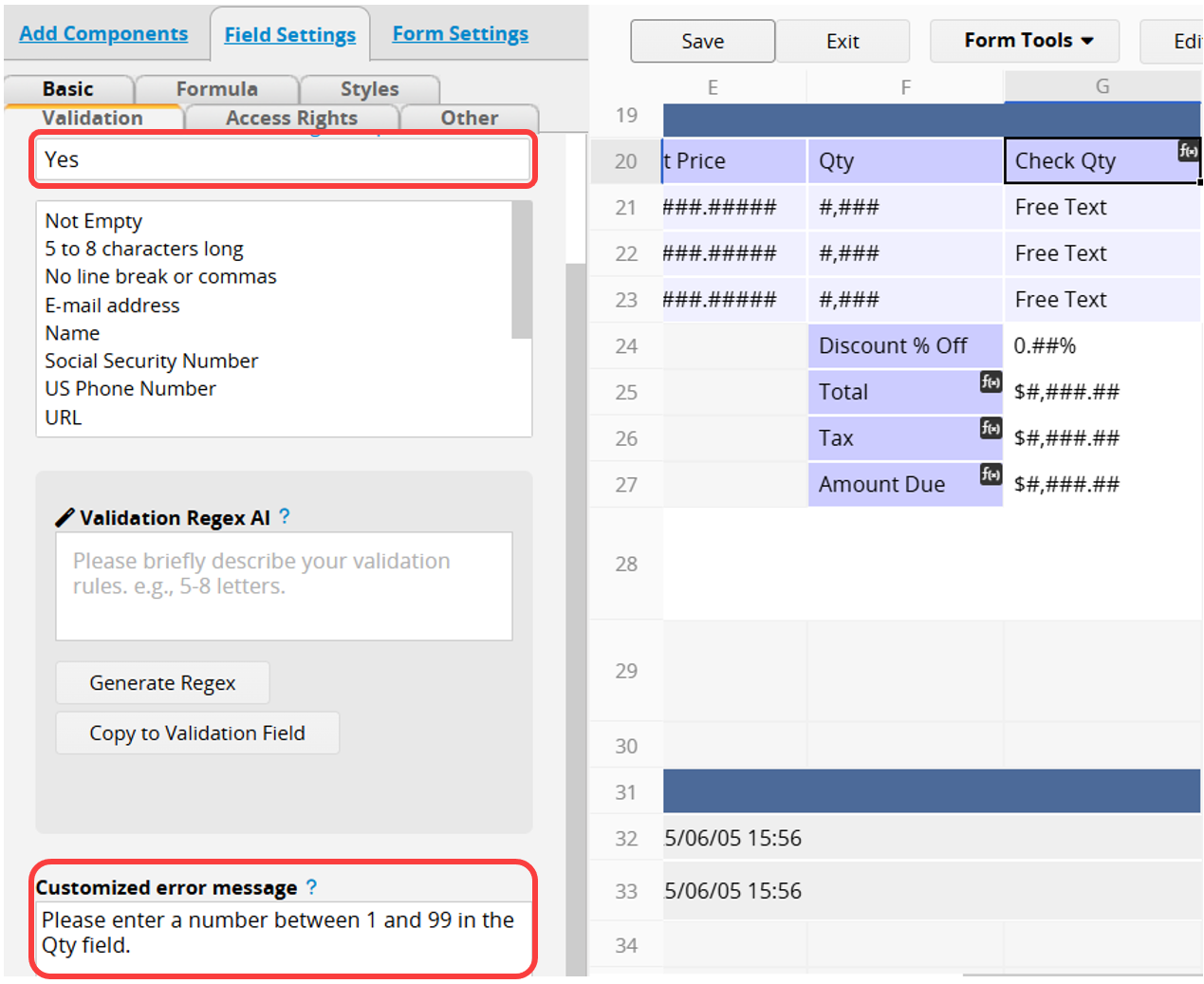
Apply Validation "Yes" and add an error message if necessary:
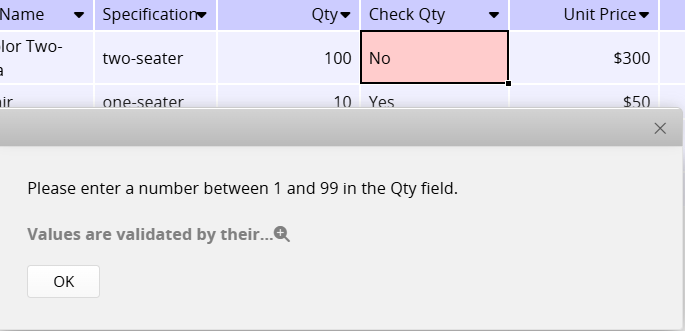
In the future, when users input numbers that don't match the criteria, the system will pop up the error message upon saving:
 Thank you for your valuable feedback!
